GNT policy layer
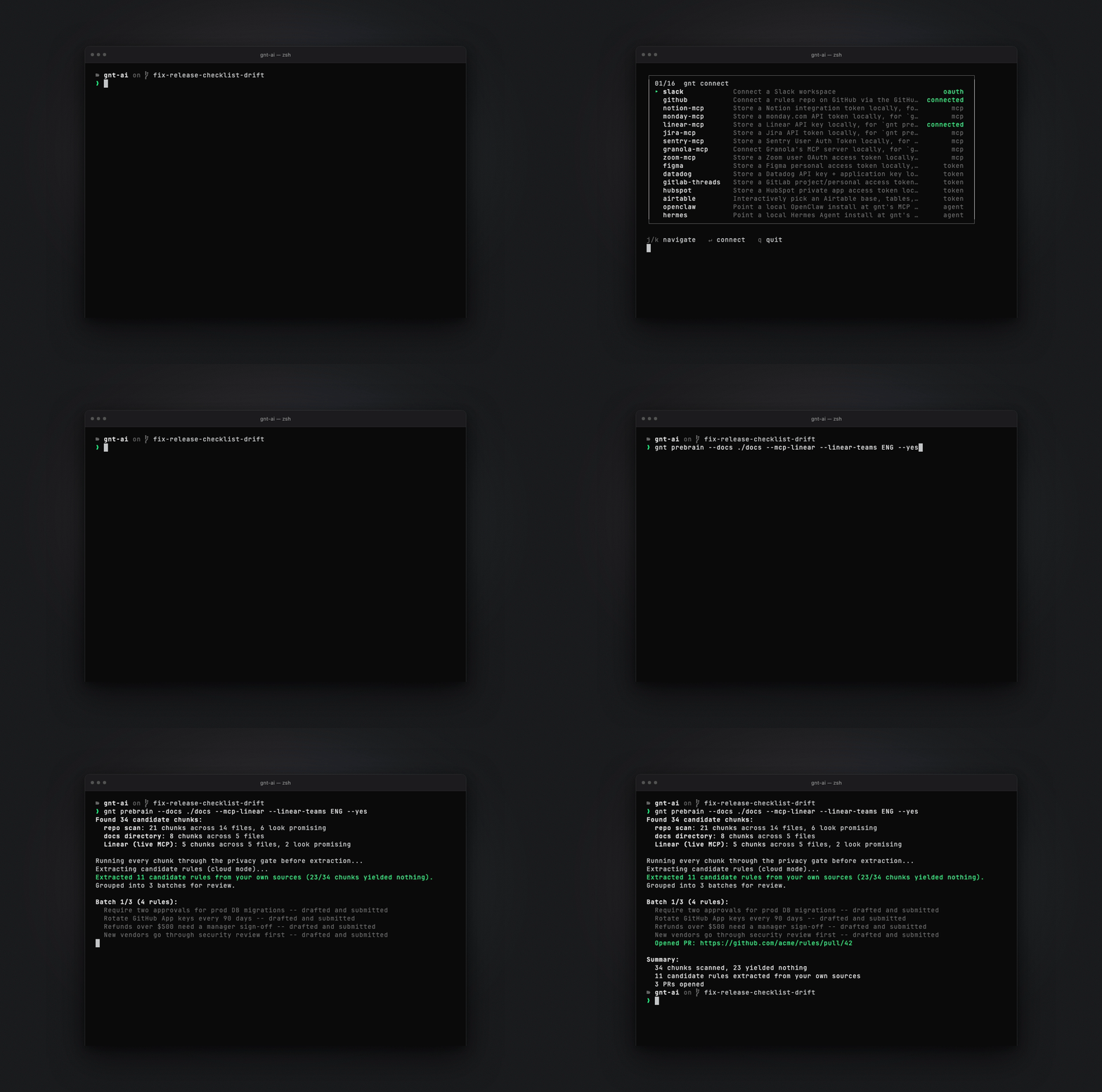
Git-native policy layer for AI agents: check_action verdicts against rules approved via PR.
- All reviews:
- Release date:
- 2 August 2026
- Creator:
- Public project (github.com)
- Type:
- MCP
Sign in to add this product to your wishlist or follow its updates.
About GNT policy layer
gnt is a Git-native policy layer for AI agents: every agent checks a rulebook over MCP before it acts, and rules are files in your repository approved through merged pull requests. Claude gets a verdict for each action it plans.
Details
- Version:
- 0.6.0
- Updated:
- 12 November 2026
- Verification:
- Not verified
- Repository:
- github.com/gnt-ai/gnt
- Website:
- gntai.dev/
What it can do
The creator has not described the access yet.
Install GNT policy layer in Claude
An MCP connector links Claude to a service: Claude can then read or do things there for you, with your consent. It takes about two minutes.
- Add it to your libraryClick “Add to my library” on this page: it is free and instant.
- Copy the connector URLIn your library, select the product: its URL is shown with a “Copy” button.
- Add it in ClaudeIn Claude (website or app), open Settings › Connectors, click “Add custom connector”, give it a name and paste the URL.
- Connect your accountIf the service asks you to sign in (your Notion, GitHub… account), Claude opens its page: only grant the access you need.
- Use it in a conversationTurn the connector on in the conversation’s tools menu, then just ask for what you want.
Before adding a product, read its permissions above. You can remove a connector or skill at any time in Claude’s settings.
GNT policy layer: frequently asked questions
- Is GNT policy layer free?
- Yes. GNT policy layer is free: add it to your Claude Market library, no bank card needed.
- How do I install GNT policy layer in Claude?
- Add GNT policy layer to your library to get its URL. In Claude, open Settings › Connectors, click “Add custom connector” and paste the URL.
- Does GNT policy layer work with Claude Code?
- Yes. In a terminal, run claude mcp add --transport http followed by a name and the connector URL.
- Is GNT policy layer an official Anthropic product?
- No. GNT policy layer is a public project; this listing was created by Claude Market from its repository and the product is not hosted here. Claude Market is an independent project, not affiliated with Anthropic.
Reviews
Sign in then add or buy this product to review it (verified reviews).
No reviews yet. Only users who added or bought the product can review it.
Similar products
 Development · MCPFront-End ChecklistReview front-end code and live pages against 386 web development rules, from Claude.No reviewsFree
 Development · SkillADR reviewCheck code changes against your accepted Architecture Decision Records.No reviewsFree
 Development · MCPHexisGit-backed platform for skills, tools, and context for AI agentsNo reviewsFree
 Development · MCParifOS — Constitutional AI KernelConstitutional verdict layer for AI agents. SEAL/HOLD before mutation. F1-F13 floors; audit ledger.No reviewsFree
 Development · MCPLiquid ComposerCheck Liquid Glass app icon recipes and open them in the browser editor.No reviewsFree
 Development · MCPInbox ZeroSearch Gmail and Outlook, save drafts, manage email rules and view email stats.No reviewsFree
 Development · MCPAgent-Native ChatMinimal chat-first app with durable threads, actions and the app-agent loop.No reviewsFree
 Development · SkillGit workflow and versioningClean git practice: branches, atomic commits, conflict resolution and versioning.No reviewsFree