OpenWork MCP Gateway
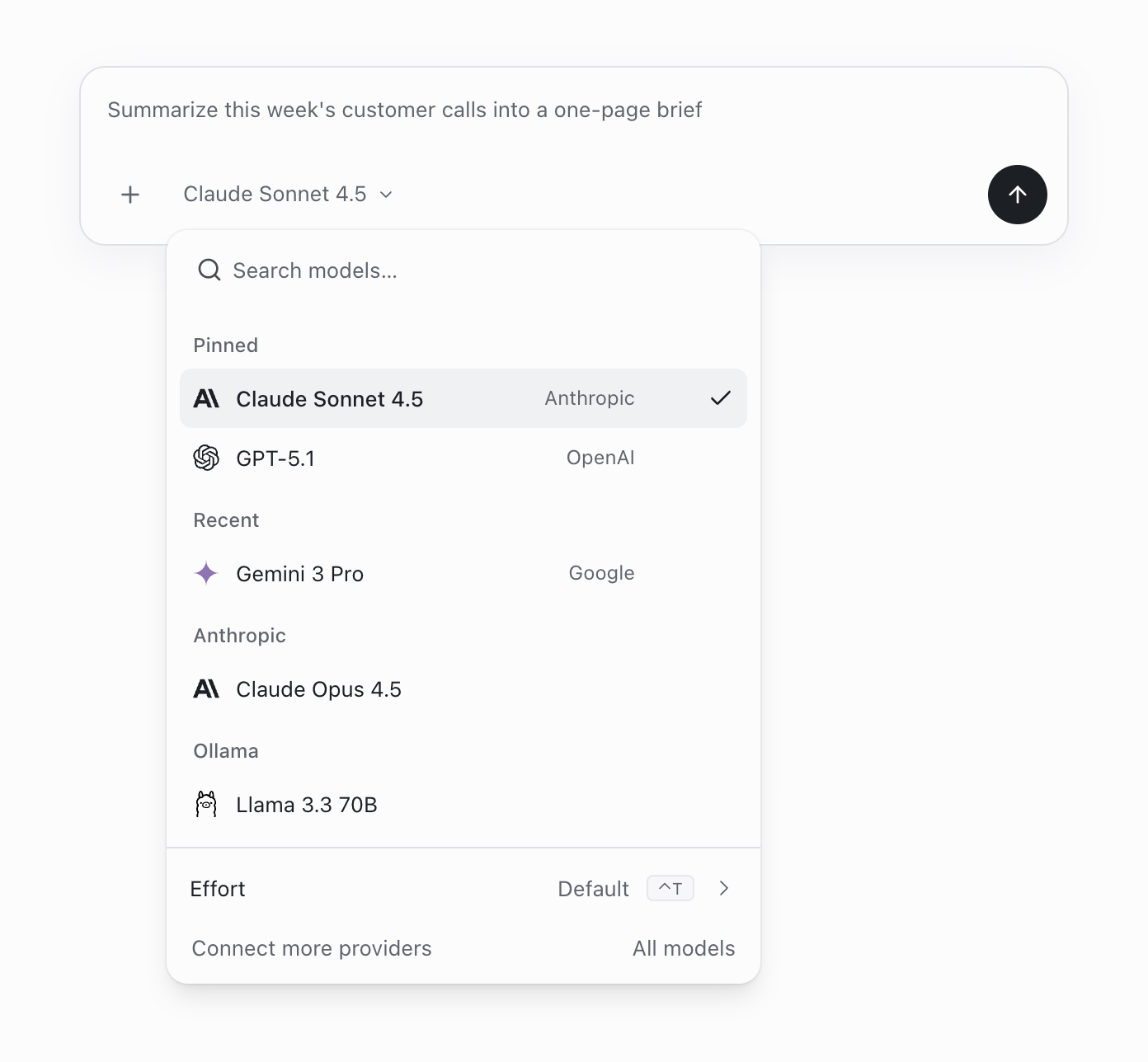
Your OpenWork organisation's skills, plugins, workflows and connections through one OAuth MCP URL.
- All reviews:
- Release date:
- 26 September 2026
- Creator:
- Public project (github.com)
- Type:
- MCP
Sign in to add this product to your wishlist or follow its updates.
About OpenWork MCP Gateway
OpenWork is a free, open-source desktop app (macOS, Windows, Linux) where AI agents do real work on your own files, built on OpenCode and working with any model: 50+ providers, your own API keys or local models through Ollama. Its MCP gateway gives Claude one OAuth URL to reach everything your OpenWork organisation has published: skills, MCP servers, workflows and connected services. Create a capability once and reuse it across Claude, Claude Code, Cursor or Codex, on every machine and for every teammate. Example requests: "Which skills has my team published in OpenWork?", "Run our weekly report workflow", "Use the shared CRM connection to list this week's new leads". Admins decide what is published and whether connections are shared or per user. The desktop app is optional.
Details
- Version:
- 1.0.0
- Updated:
- 12 November 2026
- Verification:
- Not verified
- Repository:
- github.com/different-ai/openwork
- Website:
- openworklabs.com/docs/start-here/connect-openwork-mcp
What it can do
The creator has not described the access yet.
Install OpenWork MCP Gateway in Claude
An MCP connector links Claude to a service: Claude can then read or do things there for you, with your consent. It takes about two minutes.
- Add it to your libraryClick “Add to my library” on this page: it is free and instant.
- Copy the connector URLIn your library, select the product: its URL is shown with a “Copy” button.
- Add it in ClaudeIn Claude (website or app), open Settings › Connectors, click “Add custom connector”, give it a name and paste the URL.
- Connect your accountIf the service asks you to sign in (your Notion, GitHub… account), Claude opens its page: only grant the access you need.
- Use it in a conversationTurn the connector on in the conversation’s tools menu, then just ask for what you want.
Before adding a product, read its permissions above. You can remove a connector or skill at any time in Claude’s settings.
OpenWork MCP Gateway: frequently asked questions
- Is OpenWork MCP Gateway free?
- Yes. OpenWork MCP Gateway is free: add it to your Claude Market library, no bank card needed.
- How do I install OpenWork MCP Gateway in Claude?
- Add OpenWork MCP Gateway to your library to get its URL. In Claude, open Settings › Connectors, click “Add custom connector” and paste the URL.
- Does OpenWork MCP Gateway work with Claude Code?
- Yes. In a terminal, run claude mcp add --transport http followed by a name and the connector URL.
- Is OpenWork MCP Gateway an official Anthropic product?
- No. OpenWork MCP Gateway is a public project; this listing was created by Claude Market from its repository and the product is not hosted here. Claude Market is an independent project, not affiliated with Anthropic.
Reviews
Sign in then add or buy this product to review it (verified reviews).
No reviews yet. Only users who added or bought the product can review it.
Similar products
 Productivity · MCPWHOOP — MissingMCPWHOOP recovery, strain, sleep and workouts in Claude via official WHOOP OAuth. Free, open source.No reviewsFree
 Productivity · MCPe2a — email for AI agentsAuthenticated email gateway for AI agents — per-agent inboxes, HITL approval, SPF/DKIM verified.No reviewsFree
 Productivity · MCPActionbookLet your AI agent operate any website through a real, logged-in browser session.No reviewsFree
 Productivity · MCPMCP Registry ServerPublish and discover MCP servers through the official MCP Registry. Powered by HAPI MCP server.No reviewsFree
 Productivity · MCPSpeakeasy Platform MCPSecure and manage MCP servers through the Speakeasy AI Control Plane from your agent.No reviewsFree
 Productivity · SkillFederation initConnect to Ruflo Federation through the public x.ruv.io MCP service.No reviewsFree
 Productivity · SkillCherry computerDrive native desktop apps through Cherry Studio's computer use.No reviewsFree
 Productivity · SkillBootstrapCreate a personalised SOUL.md for your AI partner through a guided conversation.No reviewsFree