memecub
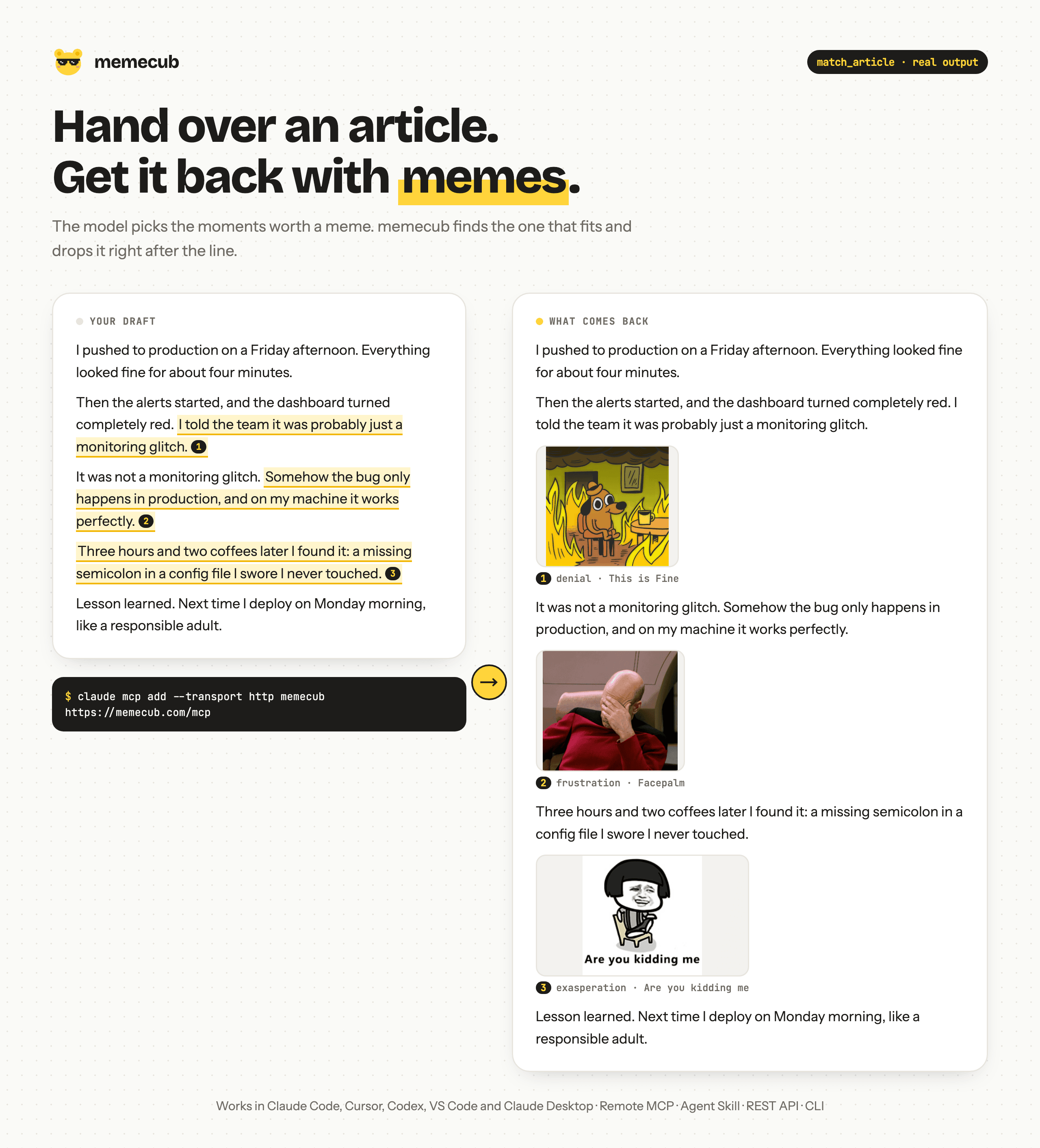
Find memes and Chinese 表情包, and auto-place reaction images into articles, with license info.
- All reviews:
- Release date:
- 13 October 2026
- Creator:
- Public project (github.com)
- Type:
- MCP
Sign in to add this product to your wishlist or follow its updates.
About memecub
memecub is meme search and automatic meme placement for AI agents. Through MCP, Claude can search reaction memes and Chinese emoji images by feeling, or take an article and insert the right meme at the right place, with licence information.
Details
- Version:
- 0.1.1
- Updated:
- 12 November 2026
- Verification:
- Not verified
- Repository:
- github.com/liyupi/memecub
- Website:
- memecub.com/developers
What it can do
The creator has not described the access yet.
Install memecub in Claude
An MCP connector links Claude to a service: Claude can then read or do things there for you, with your consent. It takes about two minutes.
- Add it to your libraryClick “Add to my library” on this page: it is free and instant.
- Copy the connector URLIn your library, select the product: its URL is shown with a “Copy” button.
- Add it in ClaudeIn Claude (website or app), open Settings › Connectors, click “Add custom connector”, give it a name and paste the URL.
- Connect your accountIf the service asks you to sign in (your Notion, GitHub… account), Claude opens its page: only grant the access you need.
- Use it in a conversationTurn the connector on in the conversation’s tools menu, then just ask for what you want.
Before adding a product, read its permissions above. You can remove a connector or skill at any time in Claude’s settings.
memecub: frequently asked questions
- Is memecub free?
- Yes. memecub is free: add it to your Claude Market library, no bank card needed.
- How do I install memecub in Claude?
- Add memecub to your library to get its URL. In Claude, open Settings › Connectors, click “Add custom connector” and paste the URL.
- Does memecub work with Claude Code?
- Yes. In a terminal, run claude mcp add --transport http followed by a name and the connector URL.
- Is memecub an official Anthropic product?
- No. memecub is a public project; this listing was created by Claude Market from its repository and the product is not hosted here. Claude Market is an independent project, not affiliated with Anthropic.
Reviews
Sign in then add or buy this product to review it (verified reviews).
No reviews yet. Only users who added or bought the product can review it.
Similar products
 Design and images · MCPCloudinaryUpload, organise, search and transform images and videos in Cloudinary.No reviewsFree
 Design and images · MCPTransloadit Media ProcessingProcess video, audio, images and documents with Transloadit Robots. Connect by URL with OAuth.No reviewsFree
 Design and images · MCPBraveBrave Search for Claude: web, local businesses, images, videos, news and AI summaries.No reviewsFree
 Design and images · MCPGlifGenerate images, video, and audio with Glif's media-generation agentNo reviewsFree
 Design and images · MCPLLM GatewayChat with any LLM, generate images, browse models and check your usage and costs.No reviewsFree
 Design and images · SkillAlt textWrite meaningful alt text for images.No reviewsFree
 Design and images · SkillNature image2pptRebuild slide images or scanned PDFs as editable PowerPoint.No reviewsFree
 Design and images · SkillImage generationGenerate images from structured prompts and reference images.No reviewsFree